Scheduled tasks
Let an agent do something every day, every week, or once at a set time.
Download the video · the pictures come from a demo account, so the names and chats in them are examples.
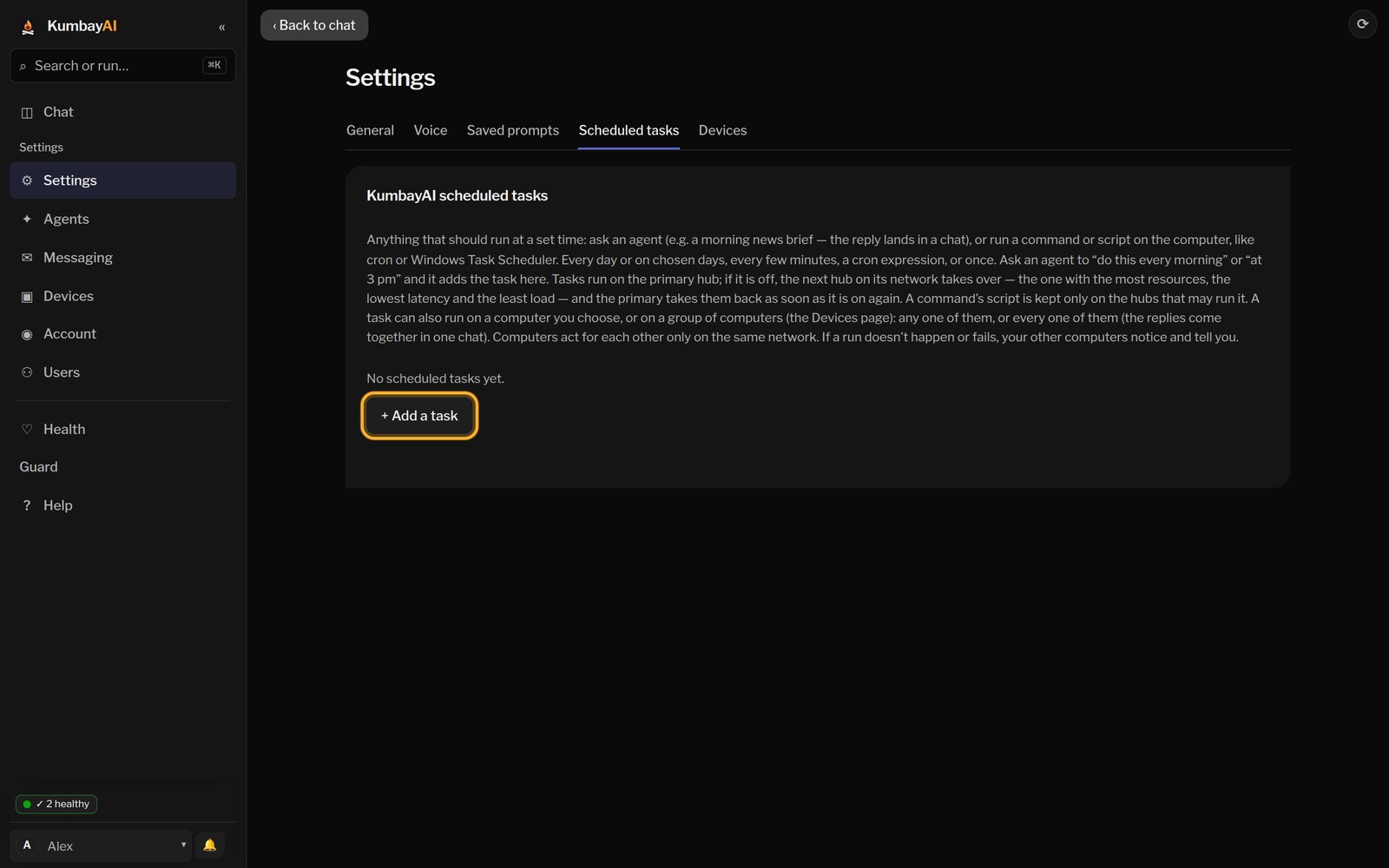
Step 1 of 2
Open Settings, then Scheduled tasks, and press “Add a task”.
Step 2 of 2
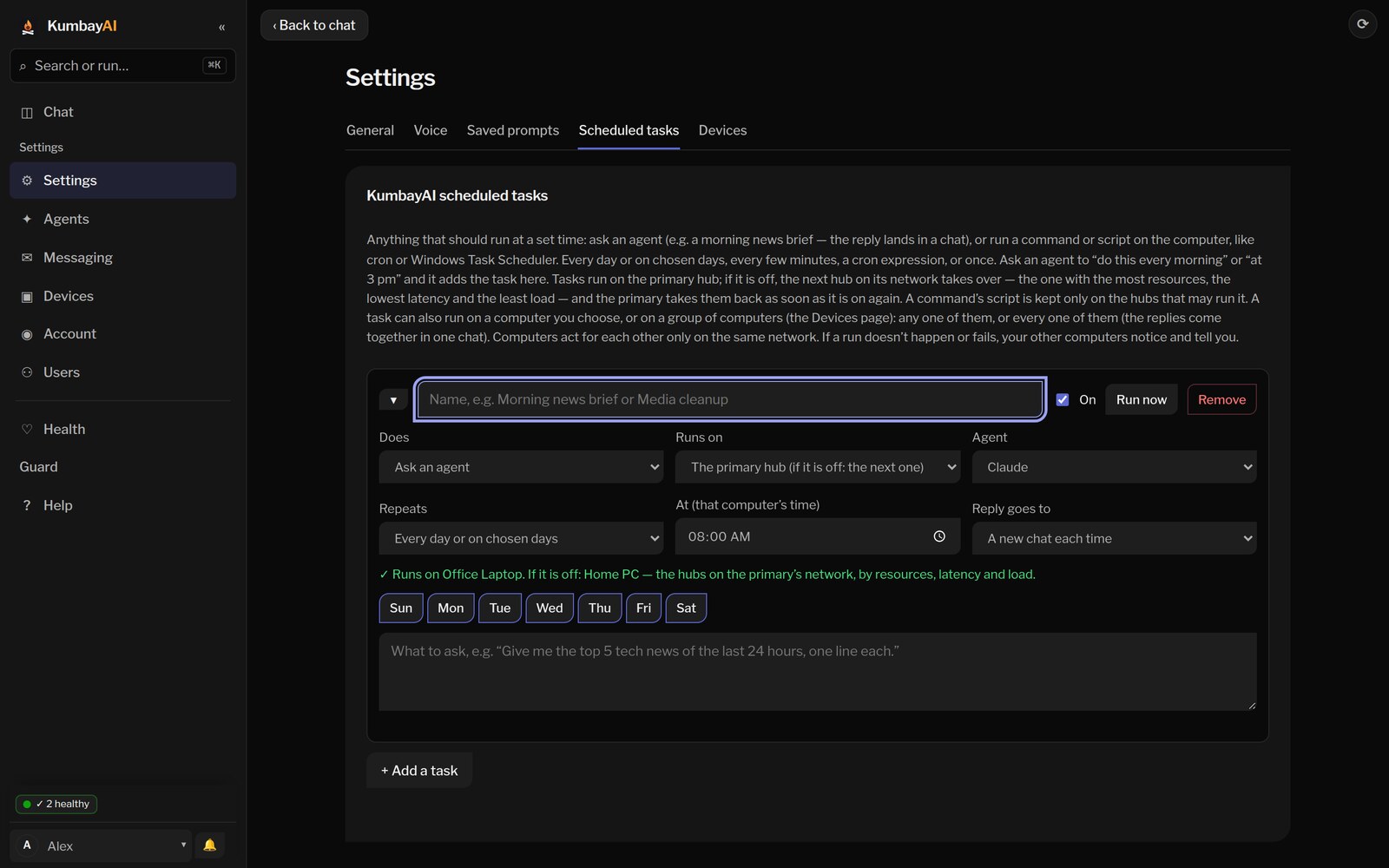
Write what the agent should do, pick the agent, the computer and when. It runs on your main computer, and another one takes over when that one is off. You can also just ask an agent: “every Monday at nine, …”.