Add your AI agents
Use Claude, ChatGPT, Gemini, Copilot and free AI services, with the accounts you already have.
Download the video · the pictures come from a demo account, so the names and chats in them are examples.
Step 1 of 5
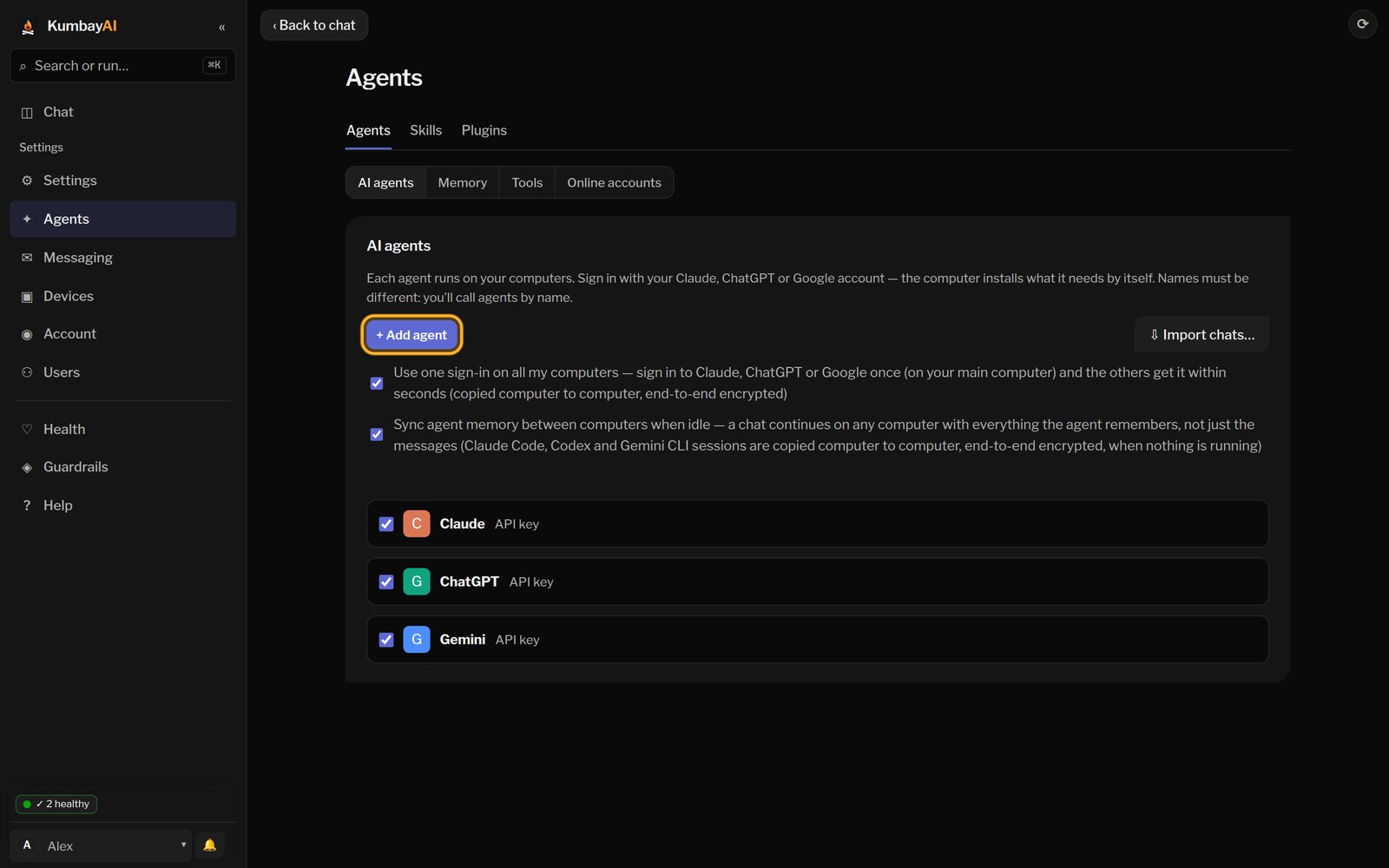
Open Agents. If you have no computer yet, install KumbayAI on one first: see “Get started”. Then press “Add agent”.
Step 2 of 5
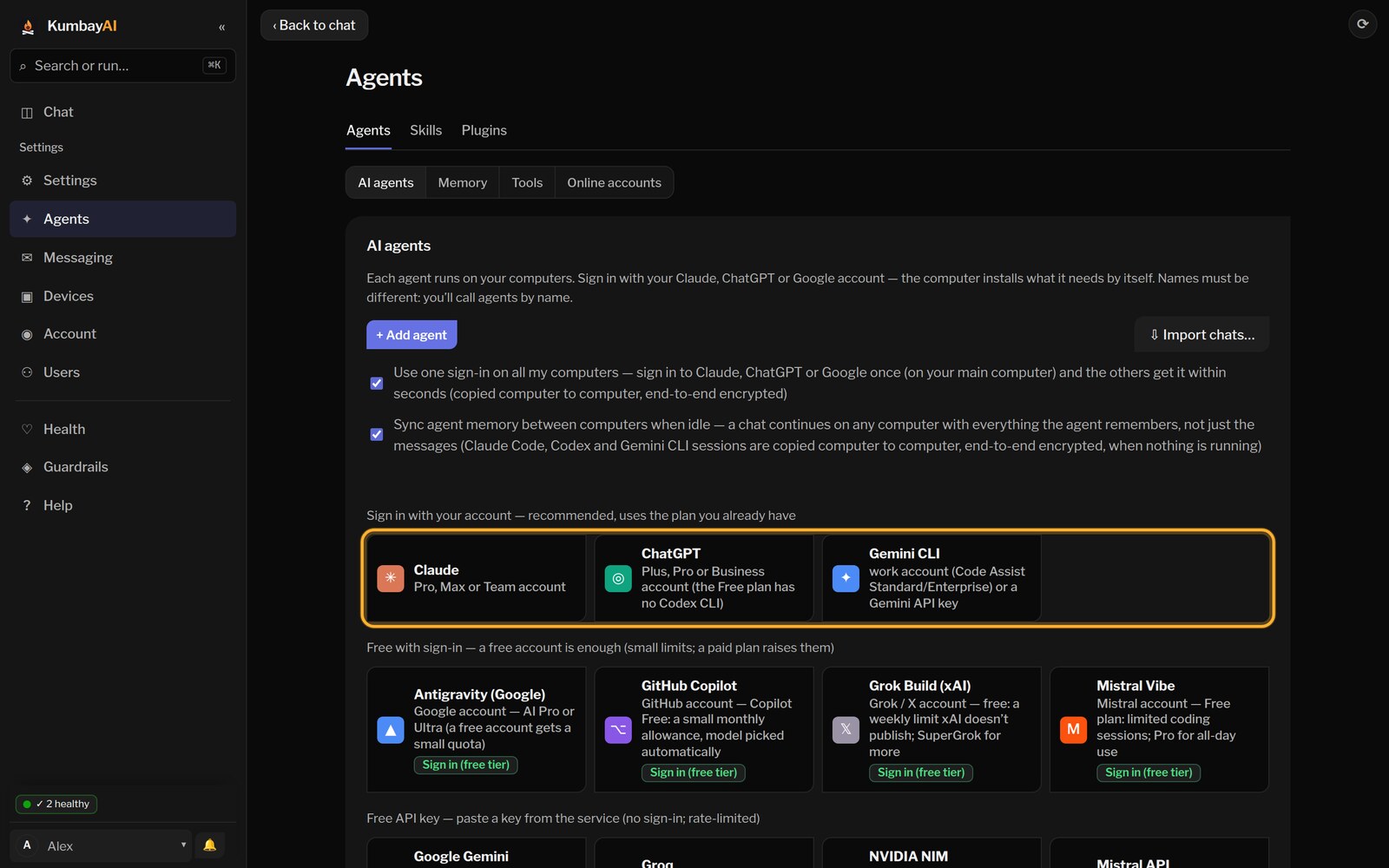
The main way is to sign in with the Claude, ChatGPT or Google account you already have. Pick one under “Sign in with your account”. The computer installs what it needs by itself.
Step 3 of 5
Already signed in to Claude Code, Codex, Gemini CLI, Grok, Copilot or Mistral Vibe on a computer? In Settings, AI agents, “Already on this computer” brings that sign-in into KumbayAI with one yes.
Step 4 of 5
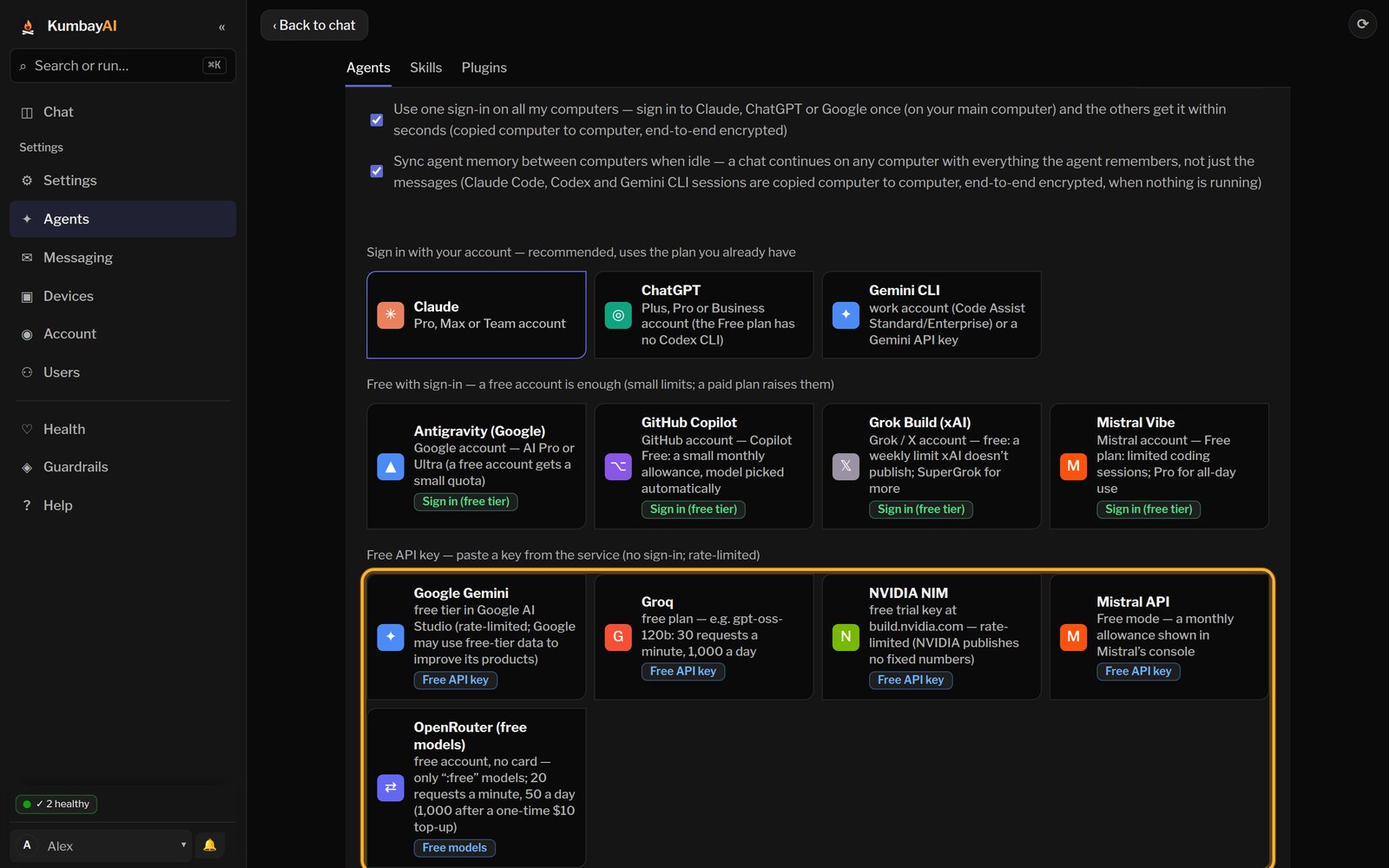
Free services come next, some with a sign-in. Free keys and free sign-ins (Antigravity, Grok Build, Mistral Vibe, Copilot) join one agent, “Combined Free AI”, by themselves; a key you mark as a paid plan becomes an agent of its own. API keys come last. In the set-up wizard they sit under “Advanced”, and each key’s card has “Advanced agent settings”.
Step 5 of 5
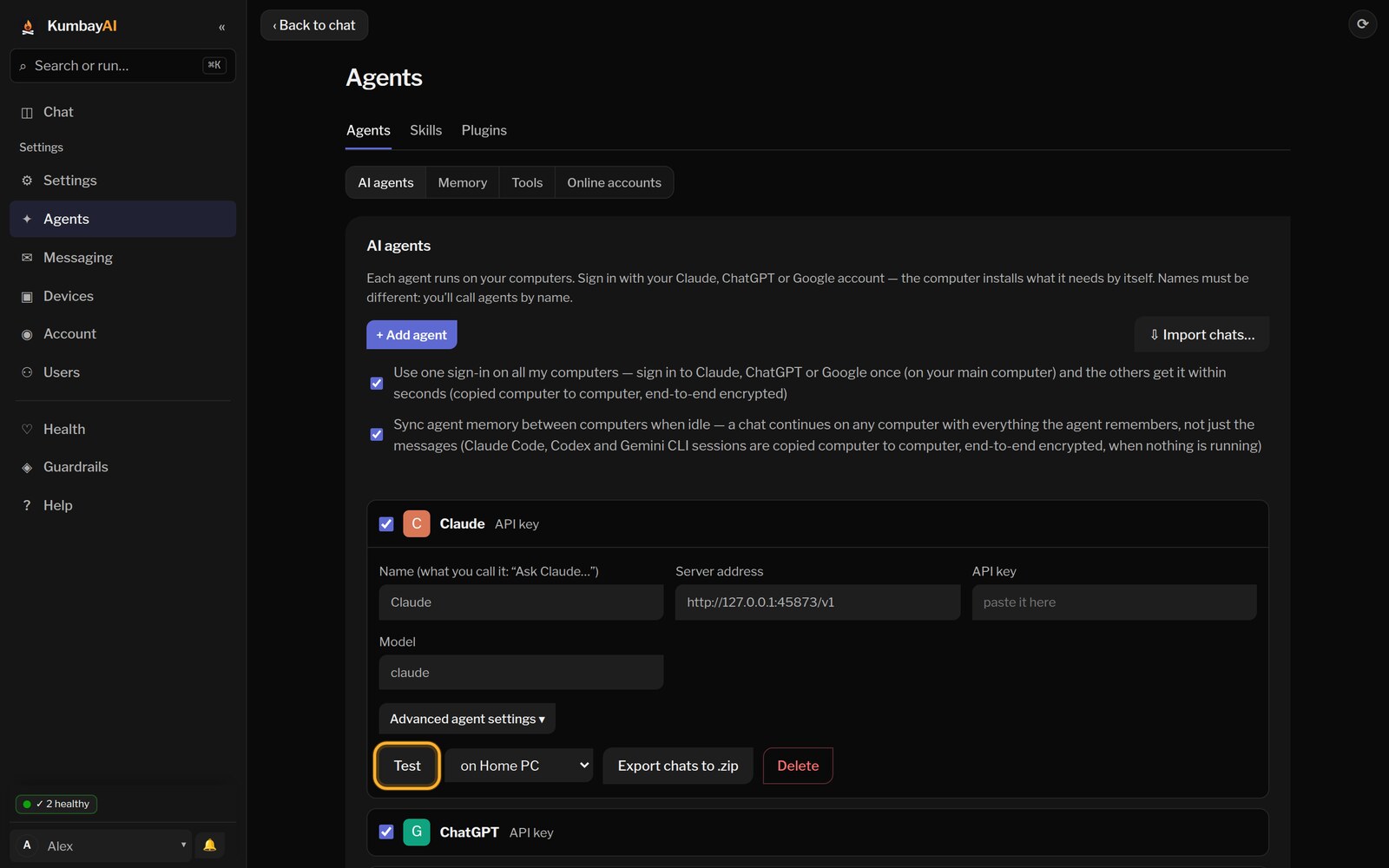
Your agents are listed here. Open one to see its settings. “Test” checks that it works. “Import chats” brings in your old conversations from a folder, from this computer, or from another machine over SSH or SMB.