Your computers
See every computer, its apps and health, and choose where a chat runs.
Download the video · the pictures come from a demo account, so the names and chats in them are examples.
Step 1 of 5
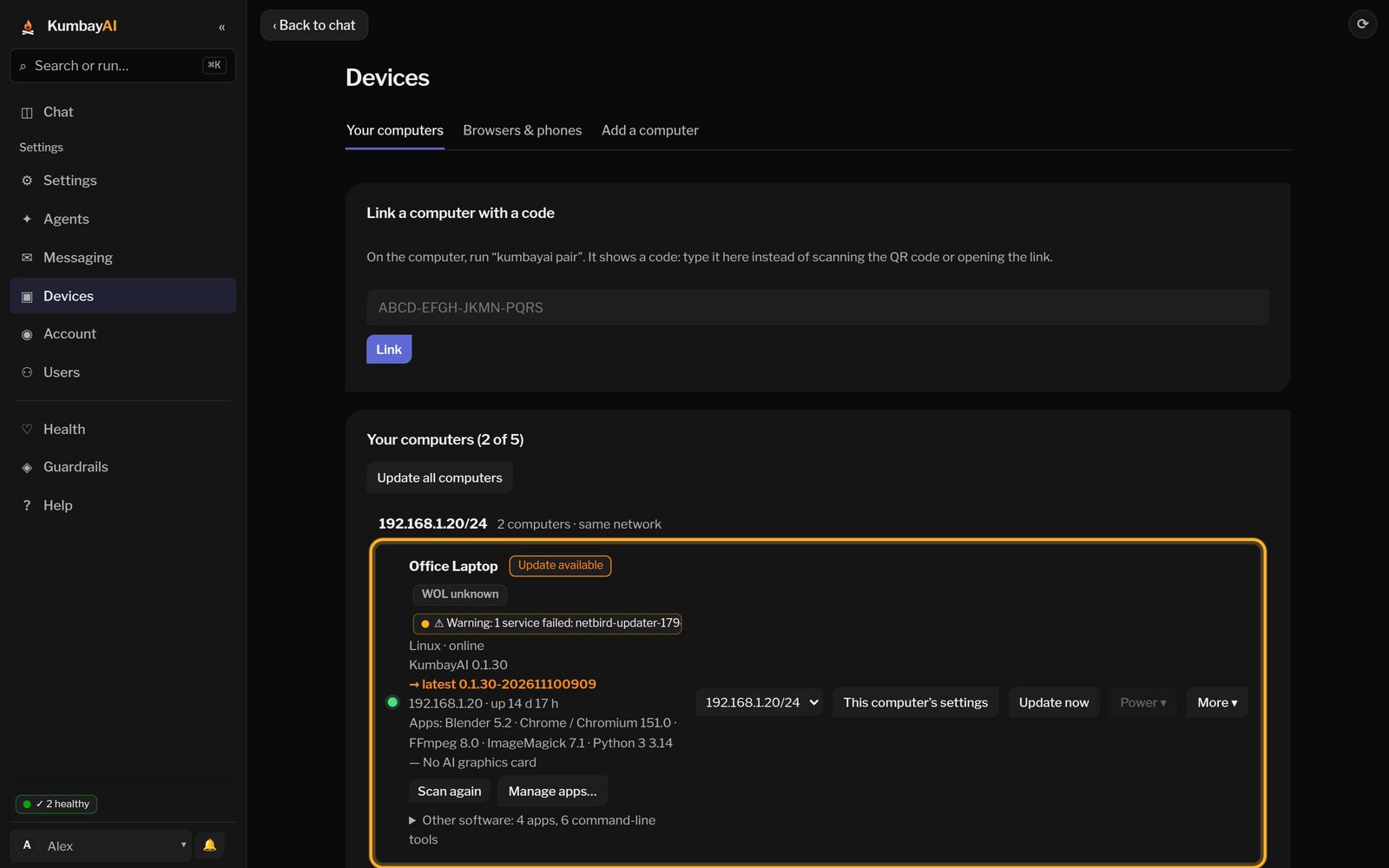
Devices, Your computers: each one with its status, version and network. Update, restart or wake it from here.
Step 2 of 5
Computers on the same network sit together under the network’s IP range, for example 192.168.1.0/24. With more than two networks, a search box and a network filter appear above the list.
Step 3 of 5
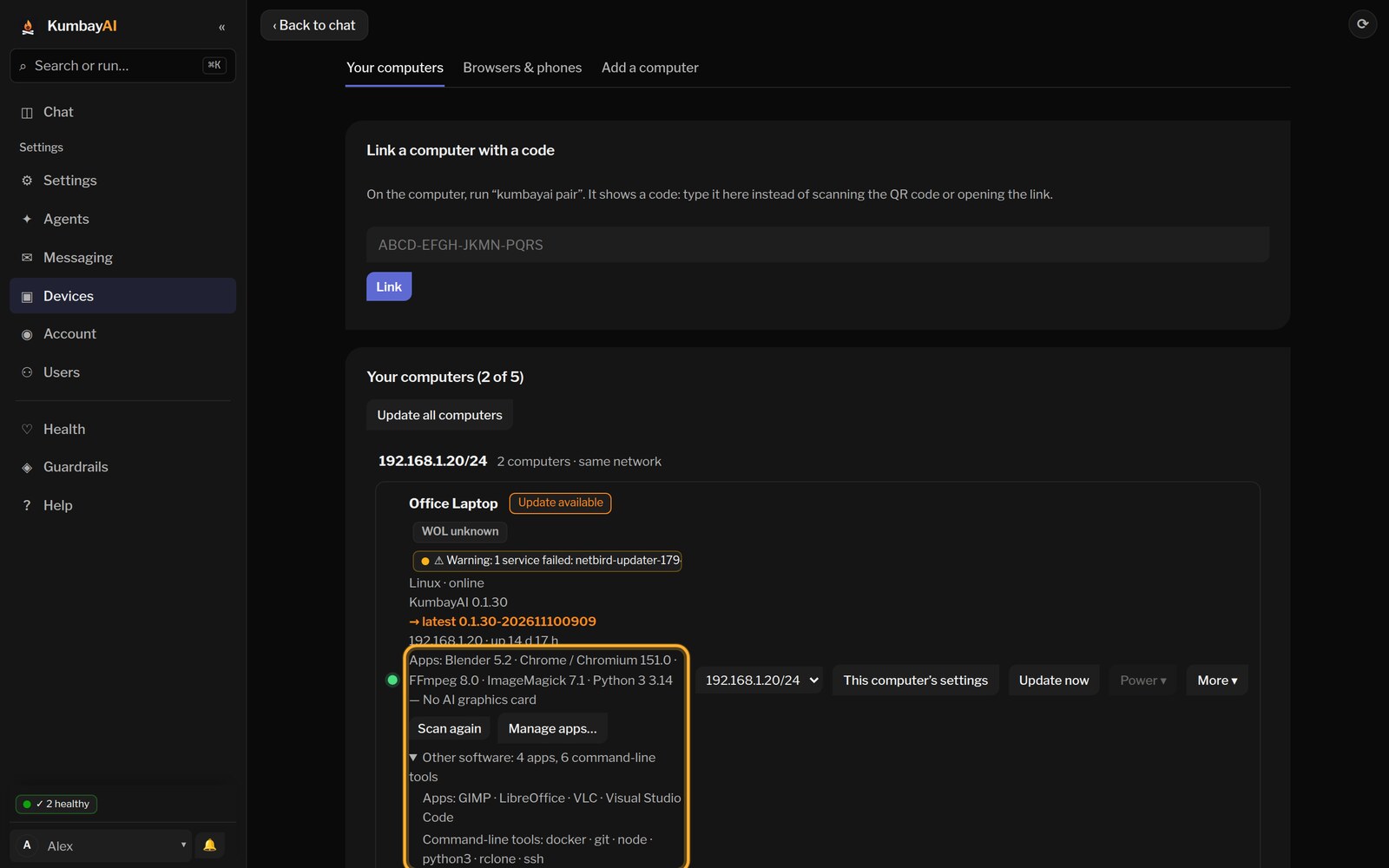
Each computer lists the apps agents can use on it, and its other software. Agents use a program where it already is, instead of installing it again.
Step 4 of 5
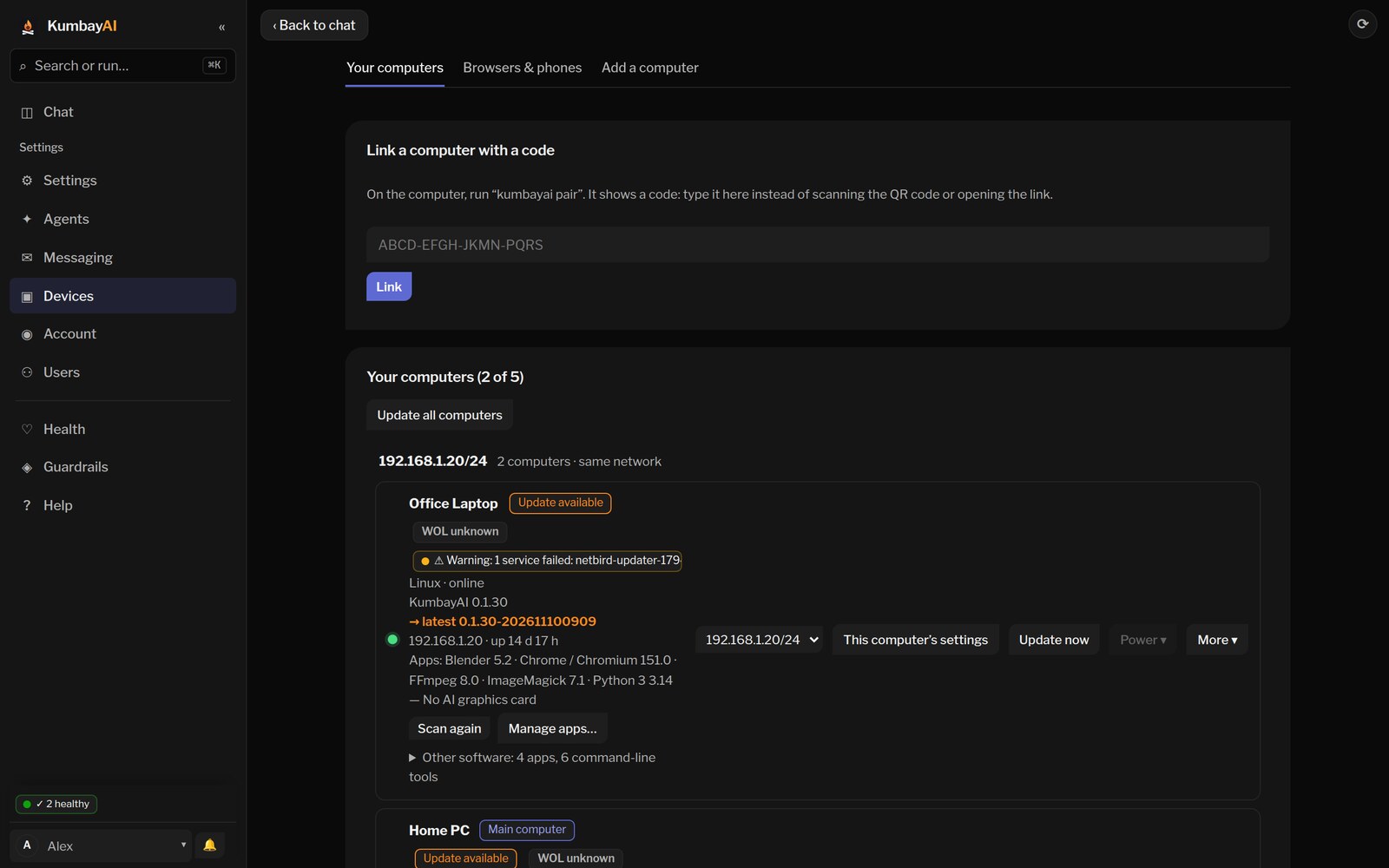
The Power menu restarts or shuts down a computer.
Step 5 of 5
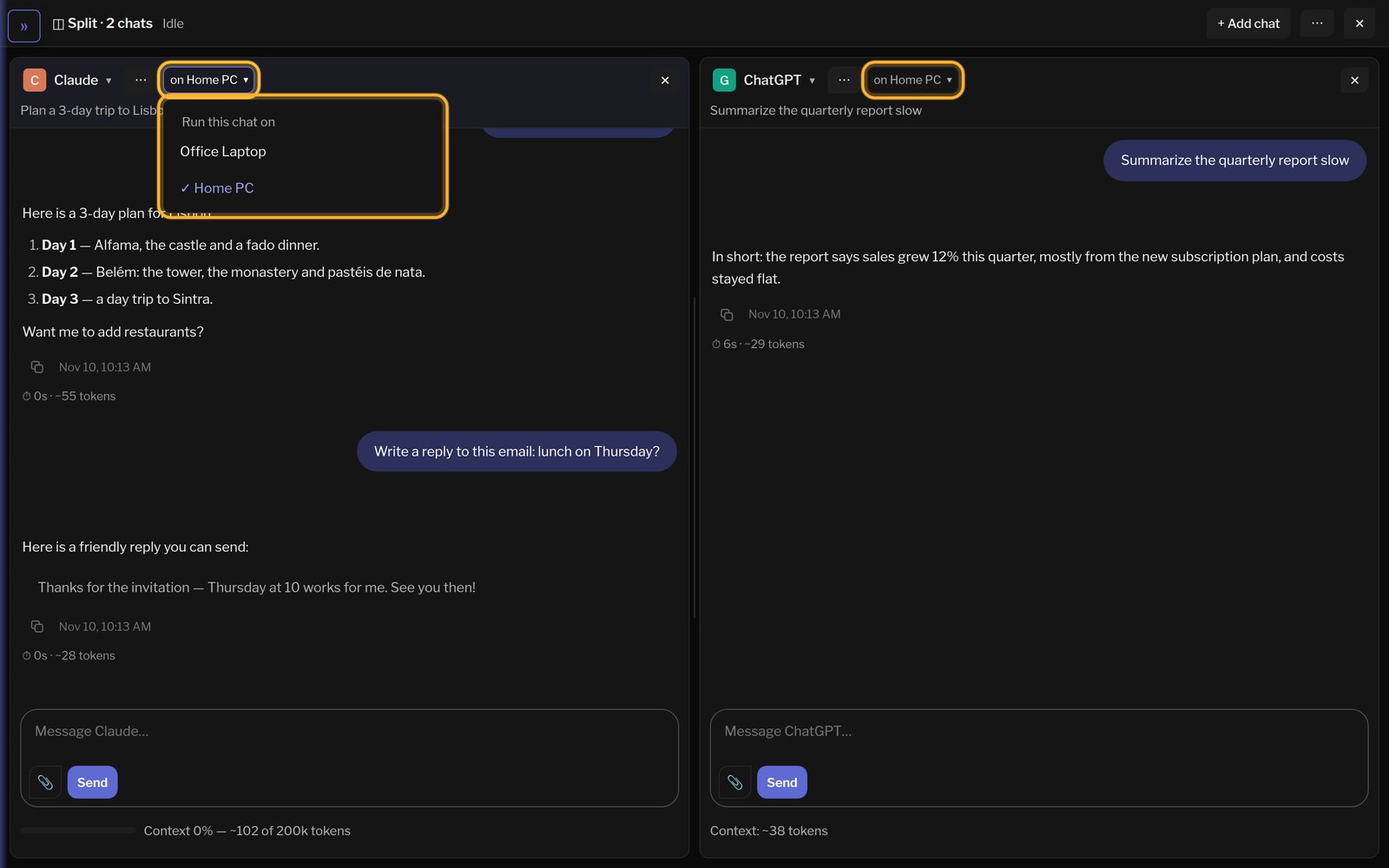
A chat runs on the computer shown at its top. KumbayAI picks the right one, and moves the chat by itself when the work belongs on another, or pick one yourself.